AKVIS PlugIns in Photoshop, Windows 32 bit
Installation Troubleshooting Guide
Sometimes after a plugin is installed, it fails to appear in the Filter menu of Adobe Photoshop or Photoshop Elements.
If you have problems with adding plug-ins to Photoshop you can complete the installation manually.
1st Method:
- Copy the files with the ending .8bf into the Plug-ins folder of Photoshop.
For example, Enhancer.8bf from the corresponding folder C:\Program Files\AKVIS\Enhancer into the Plug-ins folder of Photoshop: C:\Program Files\Adobe\Adobe Photoshop CS6\Plug-Ins (in Windows 32 bit).
In Windows 64 bit, depending on the version of Photoshop, the path will be: C:\Program Files (x86)\Adobe\Adobe Photoshop CS6\Plug-ins or C:\Program Files\Adobe\Adobe Photoshop CS6\Plug-Ins.
- Then re-open Photoshop. The plugin must appear in the Filter menu of Photoshop: Filter -> AKVIS -> Enhancer.
2nd Method:
If the plugins are still not available in the Filter menu, please do the following:
- Call the Photoshop command Edit -> Preferences -> Plug-Ins.
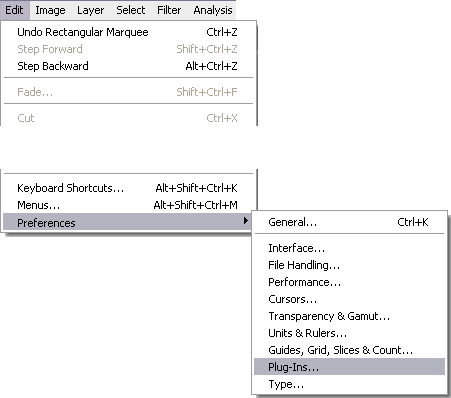
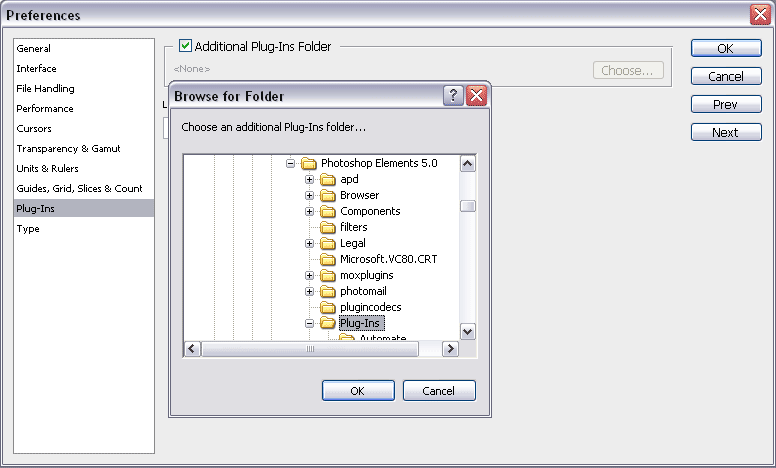
Edit -> Preferences -> Plug-Ins... - Select the check-box Additional Plug-ins Folder, then use the button Choose... to select the folder where you've copied the .8bf files.
Actually, you can use any folder which contains plug-in (8bf) files. For example, C:\My plug-ins.
Or the plug-ins folder of your image editor (as on the image below - the plugins folder of Photoshop Elements 5):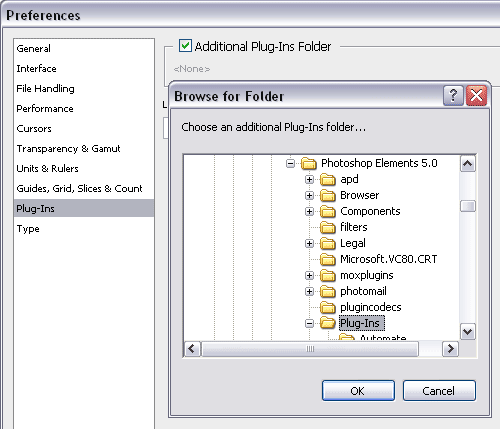
Select additional folderAttention!
If you select the Additional Plug-ins Folder in Photoshop 32 bit, make sure that the folder does not contain the 64 bit files (64-bit version of the plugin), otherwise you will get an error message!
- Close Photoshop and open it again for the plugins to load.
Call the plugin from the menu Filter, for example Filter ->AKVIS -> Enhancer.
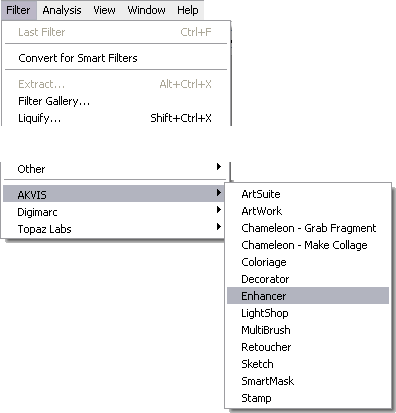
Select plugins in menu Filter
If you still do not see the plugin among Filters please read the documentation for the plugin and check where you can find it.
Some filters show up directly in the main Photoshop menu (typically between "Windows" and "Help" titles).
Some plugins (which change the size of images) appear in the menu Automate, for example, the Magnifier plugin:
File -> Automate -> AKVIS Magnifier.
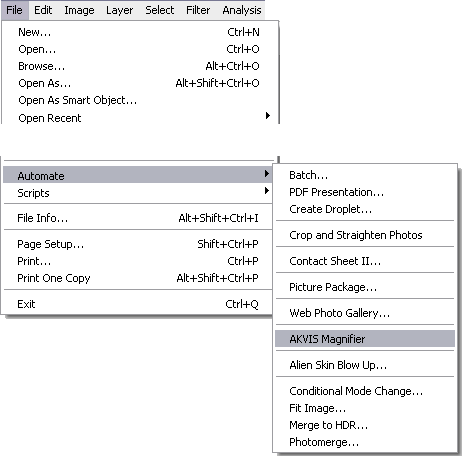
Select automation plugins in menu File -> Automate